See what you have before you start answering
A supplier questionnaire can ask for dozens of figures, policies, certificates, and explanations. The difficult part is often not writing the answer. It is finding out whether the information exists, who owns it, and what supports it.
This workbook gives you one place to check the information customers commonly request. For every item, you can record:
- whether you have it, it is in progress, it is missing, or it does not apply
- how important it is for the customer request in front of you
- who owns the information
- when follow-up is due
- where the source or supporting document is stored
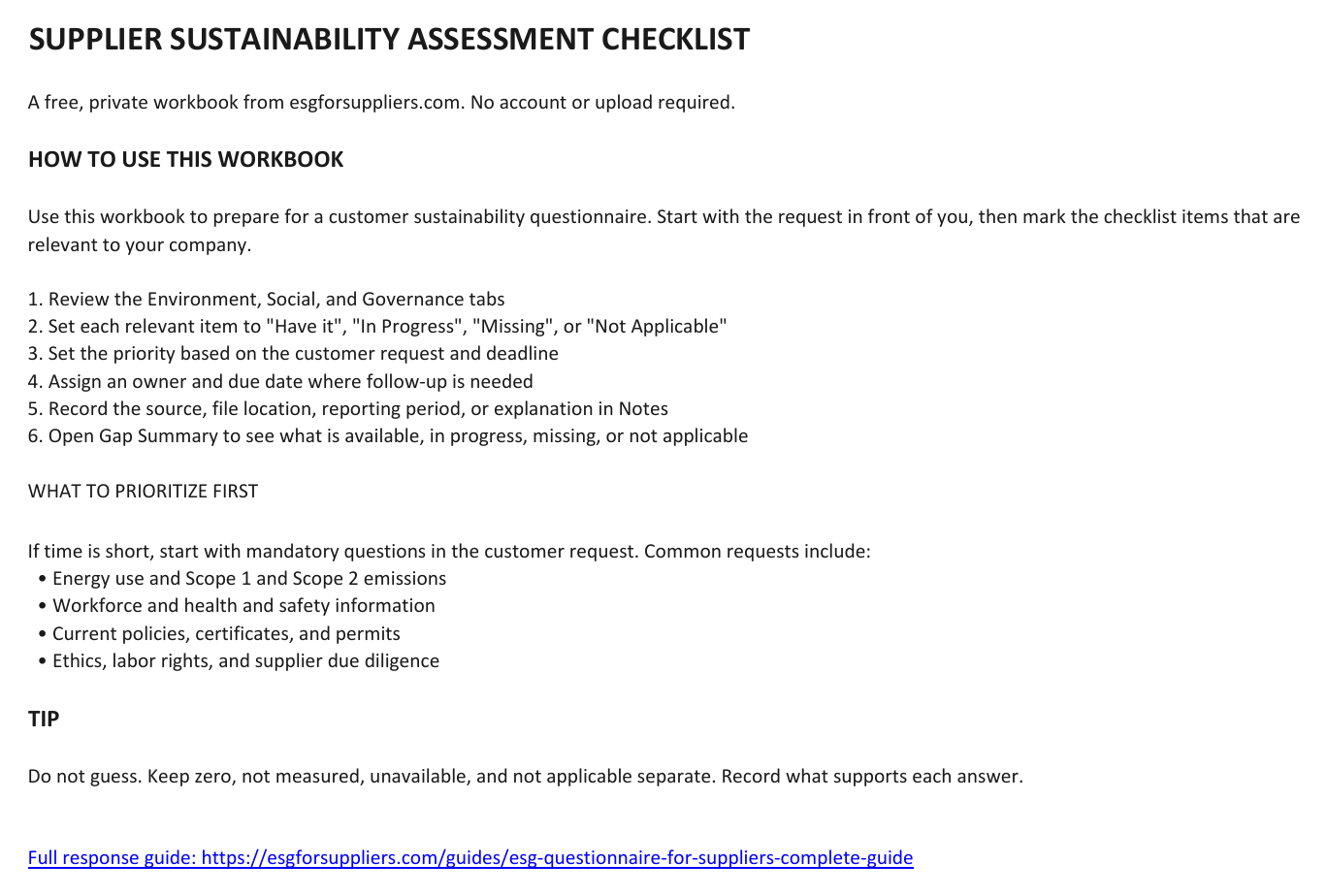
The Instructions tab explains the workflow. The file stays on your computer and does not require an account.
What questions does the checklist cover?
The spreadsheet covers the common questions below and gives you space to track what is ready and what still needs attention.
Environment
- Annual electricity, gas, and fleet-fuel consumption
- Scope 1 emissions and both location-based and market-based Scope 2 emissions
- Emission factors, calculation methods, and reporting periods
- Water consumption and wastewater information
- Total, hazardous, and diverted waste
- Environmental permits, inspections, and ISO 14001
- Environmental, energy, waste, and chemical-management procedures
Social and workforce
- Employee headcount, employment types, and workforce breakdowns
- Turnover, training, and performance reviews
- Workplace injuries, lost-time incident frequency rate (LTIFR), and near misses
- Health and safety procedures and training records
- Working hours, fair wages, labor rights, and grievance mechanisms
- Equal-opportunity and non-discrimination policies
Governance and supply chain
- Legal company name, registration number, facilities, ownership, and revenue range
- NACE, SIC, or NAICS industry classification
- Codes of conduct, anti-bribery, conflicts, gifts, and hospitality
- Data-protection and GDPR procedures, plus cybersecurity controls
- Supplier numbers, locations, assessments, and due diligence
- Business licenses, operating permits, fines, and corrective actions
- ISO 9001 and relevant industry certifications
The workbook also prompts you to check whether policies and certificates are current, approved, dated, and available as evidence. A title in a document register is not the same as having the document ready to share.
Not every item applies to every supplier. A service company, manufacturer, farm, logistics provider, and construction supplier will have different relevant questions. Start with the request your customer actually sent.
See what is missing
As you update the status fields, the Information Gap Summary counts what is available, in progress, and missing across the three topic areas.
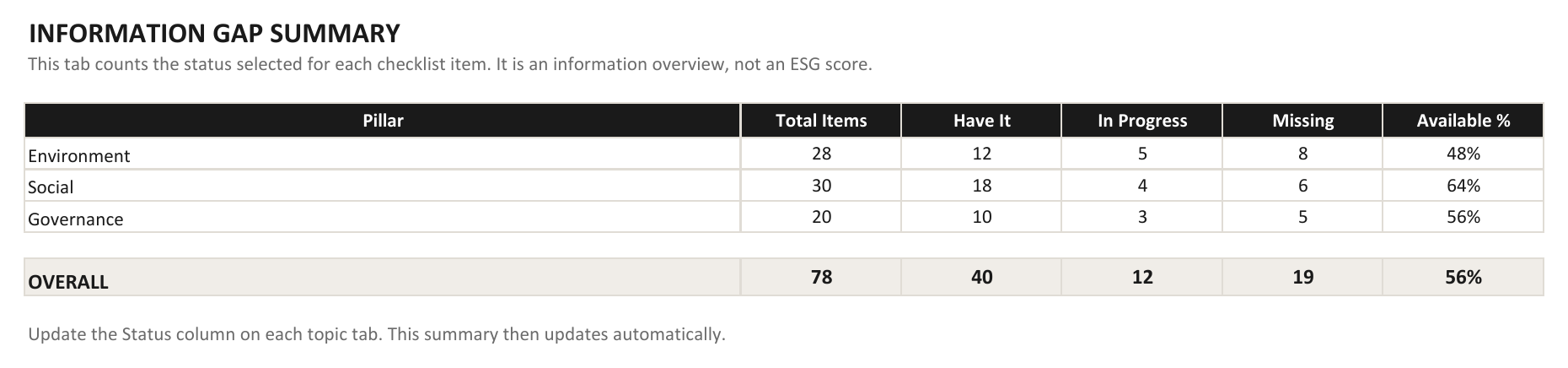
Example using sample statuses. Your downloaded workbook starts blank and updates from your selections.
The available percentage is not an ESG score. It is simply the share of applicable checklist items currently marked “Have it.” It does not certify performance, compliance, or customer acceptance.
How to use the checklist for a live request
1. Read the customer questionnaire first
Check the deadline, mandatory fields, reporting period, business entity, and sites covered. Mark the checklist items that appear in the real request.
2. Confirm what is ready
“Have it” should mean the information is current, covers the right scope, and has a source. For a number, record its unit and reporting period. For a policy or certificate, confirm that the document is current and approved.
3. Assign the missing information
Add an owner and due date for anything that needs a colleague, calculation, document, or management decision. Ask that person for the specific item rather than sending them the entire customer questionnaire.
4. Keep different kinds of gaps separate
Zero, not measured, unavailable, and not applicable mean different things. Do not use zero as a substitute for missing data. Do not create or claim a policy simply because a checklist item is blank.
What this checklist does not do
The workbook does not decide which questions your customer requires, validate your evidence, or complete the questionnaire for you. It gives you a private inventory of the information you may need and shows where the gaps are.
For the full response process, use the ESG questionnaire guide for suppliers. It covers evidence, previous-answer reuse, honest gap wording, files, portals, and short deadlines.
If you first need to estimate the workload, try the free questionnaire time estimator. If the missing information includes emissions, use the carbon calculator or the focused Scope 2 calculator. None of these resources requires an account.
The suppliers who excel at sustainability assessments are not necessarily the most sustainable. They are the most organized.
Keep the checklist ready for the next request
Use the status, priority, owner, due-date, and notes fields to turn a vague data request into a concrete list of what is ready and what still needs attention.